ERPNext Walkthroughs Reports
Weekly manager reports: sales margin and receivables ageing
Review what the business earned on its sales and who owes it money, with the Sales Margin Review and Accounts Receivable Summary reports.
Step 1 of 9
Open the Sales Margin Review
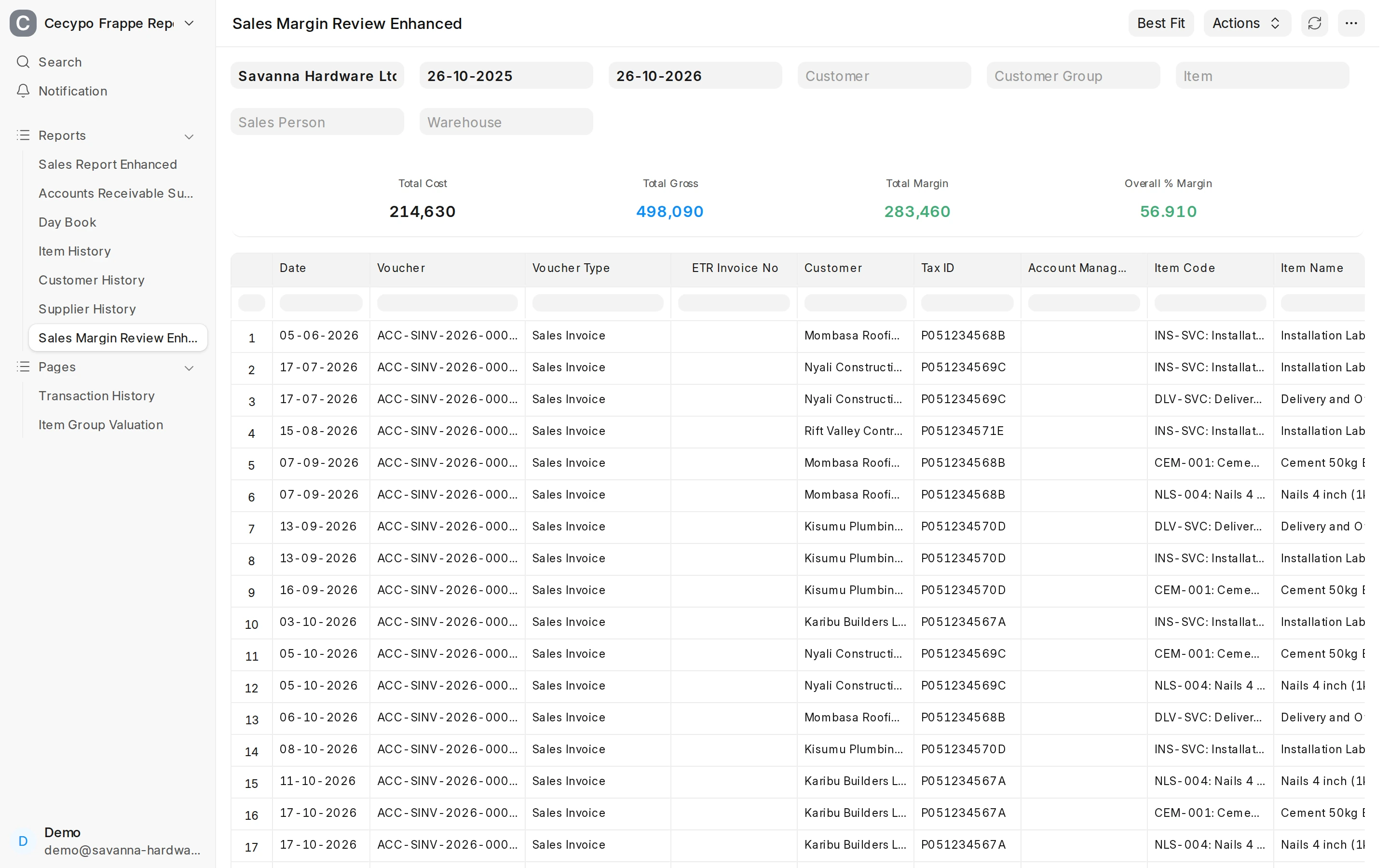
Open the report Sales Margin Review Enhanced. Choose the Company and a From Date and To Date wide enough to hold the sales you want to review. It lists every submitted Sales Invoice line posted in that range.
Arrow keys or space also move through the steps.
Steps
-
Open the report Sales Margin Review Enhanced. Choose the Company and a From Date and To Date wide enough to hold the sales you want to review. It lists every submitted Sales Invoice line posted in that range.
-
Delivery and installation are service items with no stock cost, so they pull the Overall % Margin card up. Do not read that card as the margin on goods.
-
To judge the margin on goods, set Item to a stock item. Only that item's invoice lines stay.
-
Cost is the stock cost of one unit when it was sold. Rate is the selling price before tax. Margin is Rate minus Cost, and % Margin is that margin as a share of Rate. The table is wide: scroll right, or hide columns you do not need from the column header menu.
-
The cards add up the lines shown: Total Cost, Total Gross, Total Margin and Overall % Margin. Change a filter, such as the customer, and they recalculate. Use these cards for totals; the Total row at the foot adds per-unit columns and is not meaningful.
-
Open Accounts Receivable Summary Enhanced. Posting Date is the day debts are aged to, Ageing Based On defaults to Due Date, and Ageing Range sets where the columns split.
-
Each customer has one row: what was billed (Invoiced Amount), what has been paid (Paid Amount), any Credit Note, and the Outstanding Amount still owed.
-
The age columns (0-30 up to 121-Above) show how many days past due each amount is, and Total Amount Due adds them up. An invoice not yet due counts in Outstanding Amount but not in these columns, so the total due can be lower. Debt in the oldest columns is the first to chase.
-
Switch Ageing Based On to Posting Date and the same debts age from the day each invoice was posted, so they move into older columns.