Unlimited PCs.
One Affordable Plan.
Automatic, silent, offsite backup for every computer in your business — with enterprise-grade protection that sync tools simply can't provide.
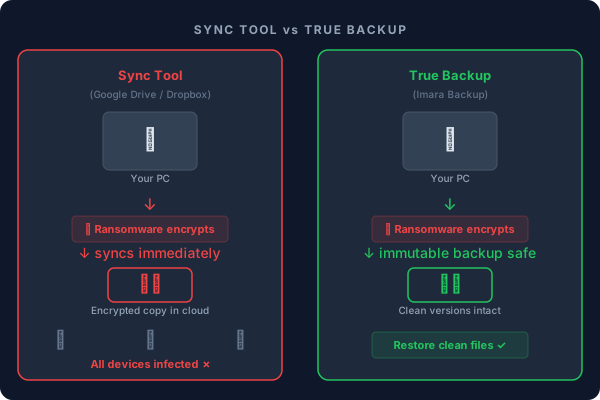
Sync is Not Backup
Sync tools are convenient — but they are designed to mirror files, not protect them. That's a critical difference when disaster strikes.
Ransomware Syncs Instantly
When ransomware encrypts your files, sync tools upload the encrypted versions within seconds — across every connected device. Your "cloud copy" becomes an encrypted copy.
Deletions Propagate Everywhere
Accidentally delete a folder? The sync tool deletes it from every device and the cloud within minutes. There is no independent safe copy anywhere.
No Point-in-Time Restore
Sync tools keep a limited version window — often 30 days, often behind a paywall. True backup lets you restore your entire system to any date, any time, with no limits.
How Does Imara Backup Compare?
Not all protection is equal. Here's how your options stack up.
| Feature | Imara Backup | Sync Tools Drive / Dropbox |
External Drive | No Backup |
|---|---|---|---|---|
| Unlimited PCs on one plan | Per-user cost |
Per device |
— | |
| Versioned file history | Limited, paid |
— | ||
| Ransomware-safe (immutable) | If kept offline |
— | ||
| Offsite & geographic redundancy | Single region |
On-site only |
— | |
| Silent automatic backups | Sync only, not backup |
Manual required |
— | |
| IT admin portal | — | |||
| No per-user fees | — | |||
| Restore any point in time | — | |||
| Centralized Settings | — |
Everything Your Business Needs
Enterprise-grade backup without enterprise complexity or enterprise pricing.
Unlimited PCs
One plan covers every computer in your office — reception, accounts, management, warehouse. Add new machines any time. No per-seat fees, ever.
Version History & Point-in-Time Restore
Every version of every file is retained. Browse and restore any file as it existed on any date — not just the latest copy. Perfect for recovering from accidental edits or deletions.
Silent Lightweight Agent
A small background agent runs on each Windows PC. No user interaction required. Backups happen on schedule, using incremental technology and deduplication — only new, unique data is uploaded, keeping uploads fast and storage efficient.
Enterprise-Grade Storage
Every file is encrypted with AES-256 at rest and in transit via HTTPS. Data is stored across multiple geographic locations with 99.999999999% (eleven nines) durability, on ISO 27001 and SOC 2 certified infrastructure — the same trusted by major enterprises, at a price any Kenyan business can afford.
IT Admin Dashboard
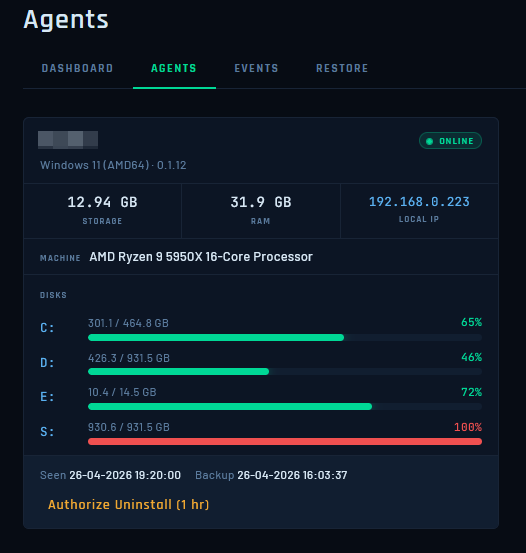
See all enrolled PCs, last backup times, storage usage, and alerts from one central web portal. Manage your entire fleet without touching each machine.
No Surprise Fees
Storage-based pricing only. No charges for downloading or restoring your data. No per-user costs. No hidden fees. What you see in the pricing table is exactly what you pay.
Up and Running in Minutes
No complex infrastructure. No IT department required. Three simple steps.
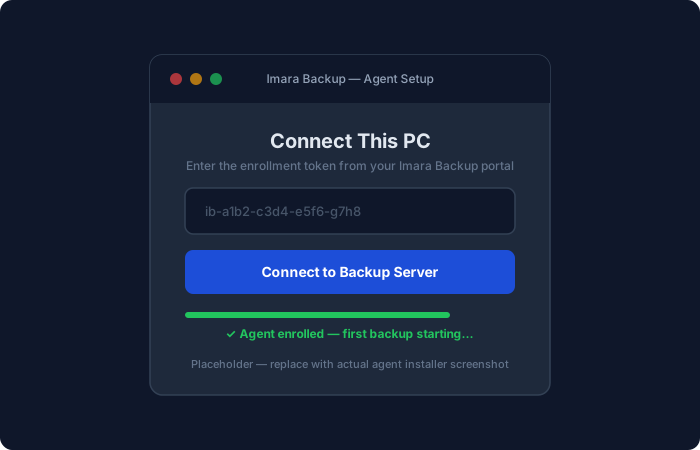
Enrol Each PC in Minutes
Install the lightweight Imara Backup agent on each Windows PC. Enter the enrolment token from your admin portal, and the PC is connected. First backup starts automatically.
- Under 5 minutes per PC
- Works on Windows 10 and 11
- Enrolment token generated from your web portal
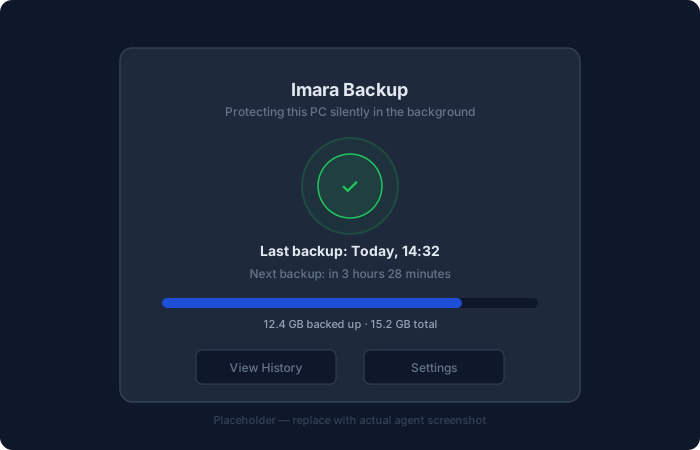
Backups Run Silently
After enrolment, backups run automatically on the schedule you configure. The agent uses incremental technology — only changed files are uploaded, keeping impact on your network minimal.
- Zero user interaction required after setup
- Incremental uploads — fast and network-efficient
- Admin portal shows backup status for every PC
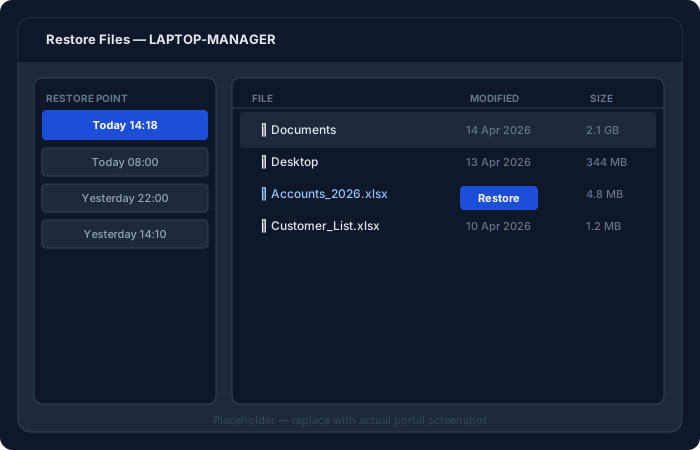
Restore Anything, Any Time
From the Imara Backup web portal, browse any PC's backup history, find the exact file or version you need, and restore it instantly. Full-folder and full-PC restores are also supported.
- Browse files as they existed on any past date
- Restore individual files, folders, or full PC
- No download fees — restore as often as you need
Simple, Storage-Based Pricing
One price covers unlimited PCs. No per-user fees. Ever. Choose the storage that fits your business.
- Version history
- AES-256 encryption
- Privacy certified
- Deduplication
- Ransomware protection
- Admin portal
- No restore fees
- Version history
- AES-256 encryption
- Privacy certified
- Deduplication
- Ransomware protection
- Admin portal
- No restore fees
- Version history
- AES-256 encryption
- Privacy certified
- Deduplication
- Ransomware protection
- Admin portal
- No restore fees
- Version history
- AES-256 encryption
- Privacy certified
- Deduplication
- Ransomware protection
- Admin portal
- No restore fees
Custom storage for large organisations, multiple offices, or extended retention requirements.
Contact UsReady to protect your business data?
Get started with Imara Backup today. Setup takes less than 10 minutes per PC.