ERPNext Walkthroughs Selling
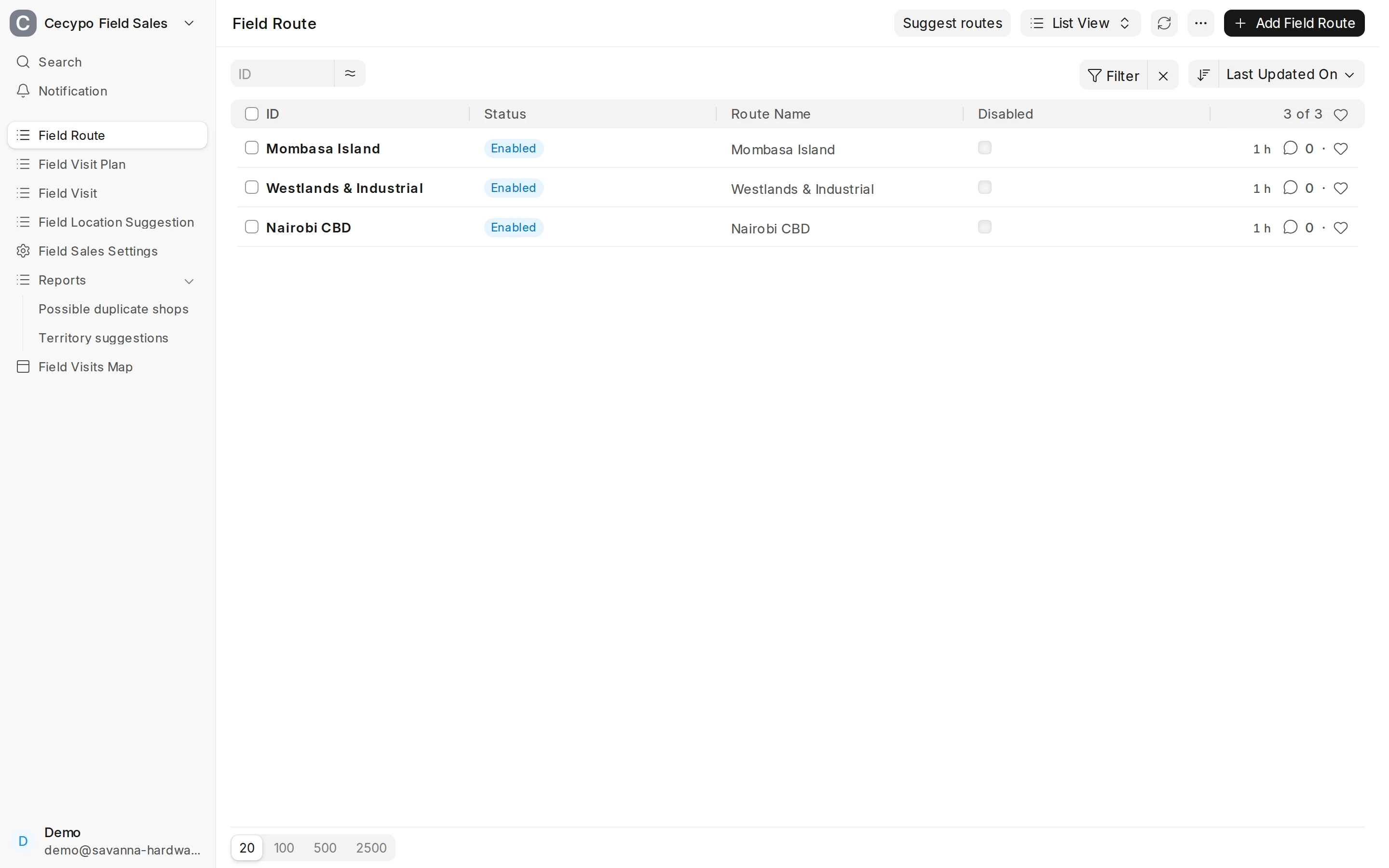
Field Sales: routes and visit plans
Set up the areas each van covers on which weekdays, let Field Sales draft routes from past visits, and plan a van's day with the shops that are due.
Step 1 of 9
Routes
A Field Route is a set of areas a van covers on fixed weekdays.
Arrow keys or space also move through the steps.
Steps
-
A Field Route is a set of areas a van covers on fixed weekdays.
-
On a new route, give it a name, add the Areas (territories) it covers, tick its weekdays and add the vans (POS Profiles) that run it.
-
Press Save (or Ctrl+S).
-
Back on the route list, Suggest routes looks at the last eight weeks of visits and proposes, for each van and weekday, the areas it actually went to.
-
Each row is one van on one weekday, with its areas and how many visits they had. Create draft turns a row into a route.
-
The draft is saved Disabled, so no rep sees it until you have checked its areas and days and untick Disabled.
-
A Field Visit Plan is the list of shops one van should visit on one day. Choose the van, the date and, if you like, the route.
-
Suggest visits fills Shops with the shops that are due on the route, each with the reason it is due.
-
Remove or add shops by hand if you need to, then press Save.